


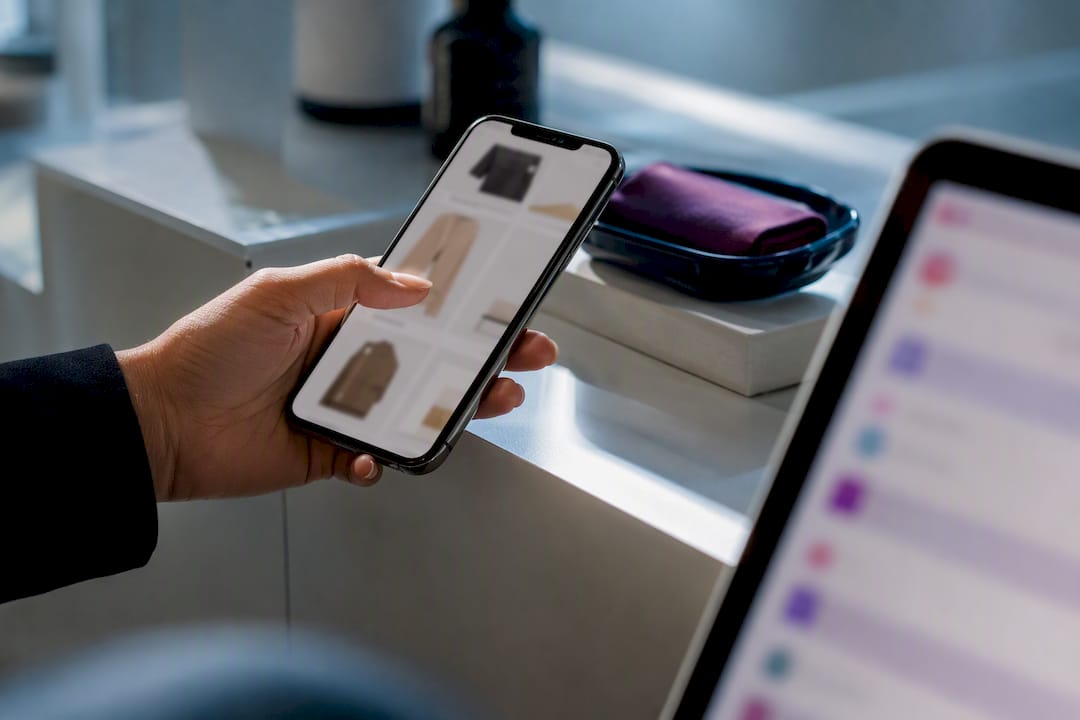
Run browse abandonment emails for your known contacts. The best starting move is a single, low-pressure reminder sent 4 to 6 hours after someone views a product without buying, pointing them back to that product or a close alternative. This flow reliably drives incremental revenue when it’s built with proper suppression rules and tested against a holdout group, not just launched and left alone.
TL;DR:
- Setting a 4 to 6-hour delay for the first browse abandonment email maximizes relevance without seeming intrusive.
- Segmenting by browsing depth, purchase history, and price point enhances email targeting and conversion potential.
- Excluding recent purchasers, cart abandoners, and contacts who purchased or abandoned carts within 24 to 48 hours prevents message overlap and fatigue.
- Using simple, benefit-focused subject lines and mobile-first designs with a single clear CTA improves open and engagement rates.
- Properly configuring trigger, exit, and suppression rules alongside compliance checks ensures flow effectiveness and legal safety.
Table of Contents
- What Are Browse Abandonment Emails, and Why Do They Matter?
- Browse Abandonment vs. Cart Abandonment: When to Use Each
- Who Should Get Browse Abandonment Emails, and How Should You Branch Them?
- Timing and Three Ready-to-Use Sequence Templates
- Subject Lines, Copy, and Design That Actually Get Opened
- How to Set Up the Automation Trigger and Exit Rules
- Compliance and Deliverability Checklist for Browse Abandonment Sends
- How to Measure and Optimize Your Browse Abandonment Flow
- How MartechAI Helps You Build and Scale This Flow
- Why Browse Abandonment Should Pass the “Gracious Host” Test
- Get Your Browse Abandonment Flow Running with MartechAI
- Sources
- FAQ
What Are Browse Abandonment Emails, and Why Do They Matter?
A browse abandonment email is a triggered message sent to a known contact who viewed a product, category, or collection page and left without adding anything to their cart. That distinguishes it from cart abandonment, which fires after someone adds an item and then exits before checkout. Browse abandonment sits earlier in the funnel. It’s catching curiosity, not a stalled purchase.
The case for running this flow isn’t theoretical. An academic experiment on triggered email marketing for browse abandonments found that these messages increased online-channel revenue and revenue in the specific category a shopper browsed. The same research linked longer navigation histories and wider-assortment recommendations to bigger conversion gains, which matters when you’re deciding what to put inside the email.
You should add browse abandonment to your automation stack once you have:
- A functioning cart abandonment flow already converting well on its own
- Enough site traffic from logged-in or identified contacts to make the segment worth automating
- A CRM or email platform that can populate dynamic product data reliably
If any of those three pieces is missing, fix that first. A browse flow built on shaky product-view tracking will just annoy people with broken or irrelevant recommendations.
Browse Abandonment vs. Cart Abandonment: When to Use Each
The intent gap between these two flows is the whole design brief. Someone who added a product to their cart and left has purchase intent. Someone who just viewed a product page has curiosity, and sometimes nothing more than idle interest. Your tone should reflect that difference. Cart abandonment emails can push harder, mention urgency, and lean on a discount. Browse abandonment emails should read more like a helpful nudge than a sales push.
Exit conditions matter here more than most marketers realize. Without them, a shopper can end up in both flows simultaneously, getting two conflicting emails within hours of each other.
Set these exit rules before you launch:
- Exit the browse flow immediately if the contact adds the viewed item to their cart
- Exit the browse flow if the contact completes a purchase, even for a different product
- Suppress a browse abandonment send if a cart abandonment email already went out recently
Prioritize cart abandonment when both flows are competing for a slot in your marketing calendar. Cart abandonment converts at a higher rate, but browse abandonment reaches a much larger, earlier-stage audience your cart flow never touches.
Who Should Get Browse Abandonment Emails, and How Should You Branch Them?

Not every product viewer deserves the same email. Segmenting your audience by browsing behavior, purchase history, and price point turns a blunt instrument into a precise one, and it’s where most of the incremental revenue actually comes from.
Here’s a practical way to structure it:
- Filter to known contacts only. Anonymous browsers can’t receive email, so your trigger needs an identified email address, typically from a previous purchase, account login, or an email capture pop-up.
- Exclude anyone who purchased or abandoned a cart in the last 24 to 48 hours. This prevents overlap with your cart abandonment flow and avoids message fatigue.
- Branch by browsing depth. Someone who viewed the same product three times in a week is a stronger signal than someone who glanced at it once. Research on triggered browse emails shows that longer navigation histories correlate with larger conversion gains, so repeat viewers deserve a more direct, product-specific message rather than a generic one.
- Branch by prior purchase status. First-time browsers respond better to trust-building content like reviews or a brand story. Returning customers can skip that step and go straight to the product and a related recommendation.
- Branch by price point. High-consideration purchases (furniture, electronics, anything over roughly $150) often benefit from a slower, education-first sequence. Lower-priced impulse items can move faster with a single reminder.
- Set a frequency cap. No more than one browse abandonment email per product category within a rolling 7-day window, regardless of how many times someone revisits.
A repeat viewer of a $400 item should land in a two-email trust-builder sequence with social proof. A first-time browser of a $25 accessory can get a single friendly nudge and nothing more.
Timing and Three Ready-to-Use Sequence Templates
Timing is the lever most teams get wrong. Send too soon and you look like you’re watching every click. Wait too long and the shopper has already forgotten what they looked at, or bought it somewhere else. The sweet spot for the first message is 4 to 6 hours after the product view, giving someone time to keep browsing or step away without feeling surveilled.
Here are three templates you can adapt directly.
1. Single reminder (best for low-consideration products)
One email, sent 4 to 6 hours after the view. That’s the entire sequence.
- Subject line: “Still thinking about [Product Name]?”
- Preview text: “It’s still here, and it’s still great.”
- Body structure: Product hero image, one line acknowledging the visit, a single clear call-to-action button linking back to the product page.
- CTA target: The exact product page. If your platform can’t populate a dynamic product URL, route the click to the relevant collection page instead of a broken link.
2. Trust-builder two-step (best for repeat viewers or mid-price items)
- Email 1 at 4 to 6 hours: same structure as the single reminder above, focused purely on the product.
- Email 2 at 24 hours (only if no purchase or cart add has occurred): introduce social proof.
- Subject line: “Here’s what other shoppers say about [Product Name]”
- Preview text: “Real reviews from real customers.”
- Body structure: Star rating summary, one or two short customer quotes, product image, single CTA.
3. Education-first (best for considered purchases over roughly $150)
- Email 1 at 4 to 6 hours leads with a benefit, not the product itself.
- Subject line: “The one thing to know before you buy a [Product Category]”
- Preview text: “A quick guide, no pressure.”
- Body structure: Short educational block (a buying guide snippet or comparison point), then the specific product they viewed, then a single CTA to learn more or view the full guide.
- Email 2, if you add one, shifts to reviews and a direct product CTA rather than repeating the education angle.
Across all three templates, keep the tone conversational and skip discount codes in the first message. Save price incentives for cart abandonment, where purchase intent is already confirmed.
Subject Lines, Copy, and Design That Actually Get Opened
Subject lines for browse abandonment need a lighter touch than cart abandonment. You’re reminding, not chasing. These eight formulas cover most situations:
- Curiosity: “Still deciding on [Product Name]?”
- Benefit-led: “[Product Name] does this one thing really well”
- Social proof: “Join [X] shoppers who love [Product Name]”
- Direct and simple: “You looked at [Product Name]. Here it is again.”
- Question format: “Ready to give [Product Name] a try?”
- Low-pressure check-in: “No rush, but [Product Name] is still available”
- Category-based (for multi-product browsers): “More like what you were looking at”
- Helpful framing: “A few things to know about [Product Category]”
Design matters just as much as the subject line. Lead with either a single product hero image or a curated row of two to three related items, never more. One clear call-to-action button, not three competing links. Build mobile-first since most browse abandonment opens happen on a phone, and check how the email renders in dark mode before you launch, since a white logo on a white background is a common and avoidable failure.
The copy formula that performs consistently: open with a low-pressure line acknowledging the visit, state one clear benefit of the product, add a short piece of social proof if you have it, then close with a single CTA. Skip the hard sell entirely.
Pro Tip: Test information-first copy against discount-first copy for your early-stage browsers. Practical testing across brands consistently shows that leading with information rather than an immediate discount performs better for browse abandonment, since the recipient hasn’t shown purchase intent yet, unlike a cart abandoner.
How to Set Up the Automation Trigger and Exit Rules
Getting the trigger right is where most browse abandonment flows either work quietly in the background or spam your best customers into unsubscribing. Follow these steps in order.
- Choose your trigger event. Most platforms let you trigger off a specific product page view or a broader collection/homepage view. Start with product page views only. They carry clearer intent than someone browsing your homepage.
- Set URL filters. Exclude internal search results pages, your cart page, and any account or checkout URLs from triggering the flow. You only want genuine product-browsing behavior counted.
- Confirm the delay window. Set the first send for 4 to 6 hours post-view, and configure your platform to check for a purchase or cart add before firing.
- Build your exit conditions. The flow should exit immediately on purchase, cart addition, or a support ticket opened for that order.
- Enable Skip Contacts and frequency caps. Most platforms, including Omnisend’s browse abandonment tool, let you set a Skip Contacts rule so someone already in another active flow doesn’t get double-messaged. Pair that with a hard cap of one browse email per category per week.
- Suppress recent purchasers and cart abandoners. Anyone who bought or triggered a cart abandonment flow in the last 24 to 48 hours should be automatically excluded from browse sends.
Before you flip the flow live, run through this testing checklist:
- Confirm the product-view event fires correctly in your analytics or CRM, not just on the storefront
- Send yourself a live test to verify dynamic product data (name, image, price) populates correctly
- Check that the CTA link routes to the correct live product page, not a cached or expired URL
- Launch with a 10% randomized holdout group that receives no browse abandonment emails at all, so you can measure true incremental impact rather than assuming every sale in the segment came from your email
A marketing automation checklist built for small and mid-size teams covers similar groundwork if you’re setting up your first automated flow from scratch.
Compliance and Deliverability Checklist for Browse Abandonment Sends
Legal risk and deliverability risk travel together in triggered email. Get either one wrong and the flow stops paying for itself.
On the legal side, CAN-SPAM requires accurate sender information, a clear opt-out method, and a valid physical postal address on every commercial email, including automated ones. The FTC also requires that opt-out requests be honored within a reasonable timeframe, so your unsubscribe process needs to actually update suppression lists quickly, not just log a request somewhere unread.
On the deliverability side, Gmail’s bulk sender guidelines require one-click unsubscribe, proper SPF, DKIM, and DMARC authentication, and low spam complaint rates for any sender pushing meaningful volume. Miss those and your browse abandonment emails start landing in spam folders instead of inboxes, which quietly kills the flow’s ROI without any obvious warning sign.
Run this preflight before launch:
- Confirm SPF, DKIM, and DMARC are all correctly configured for your sending domain
- Add a List-Unsubscribe header so recipients get one-click opt-out directly in their inbox
- Monitor spam complaint rates weekly and pause any segment trending upward
- Keep your suppression list synced in real time across every flow, not just browse abandonment
A full CAN-SPAM audit can help you catch gaps before they turn into fines. Violations carry real financial exposure, and a quick internal review costs far less than a compliance complaint.
How to Measure and Optimize Your Browse Abandonment Flow
Open rate and click-through rate tell you whether the email got noticed. They don’t tell you whether the flow made you money you wouldn’t have made anyway. That’s the gap a holdout closes.
Track these KPIs from day one:
- Open rate and click-through rate as your baseline engagement signals
- Conversion rate on the specific product or category recommended in the email
- Revenue per recipient (RPR), which normalizes performance across sends of different sizes
- Incremental lift, calculated by comparing your treatment group’s revenue against the 10% randomized holdout group that received no browse abandonment email at all
For A/B testing, run one variable at a time: subject line framing (curiosity versus direct), send timing (4 hours versus 6 versus 24), whether to include customer reviews versus a small discount, and how many products to recommend in the body. The triggered email research found wider-assortment recommendations tied to larger revenue gains, so testing recommendation breadth against a single-product focus is worth prioritizing early.
Interpret your holdout results over at least a few weeks of consistent volume before drawing conclusions. A single strong week can be noise, not signal.
How MartechAI Helps You Build and Scale This Flow
Every step in this checklist, from trigger setup to holdout measurement, maps directly onto features built into MartechAI’s platform. The visual campaign studio lets you build the trigger logic, exit conditions, and Skip Contacts rules in one connected view instead of juggling separate settings screens.
The AI-enabled email builder in MartechAI includes automated compatibility fixes, so dynamic product blocks render correctly across inboxes before you hit send. That’s the exact failure point that breaks a lot of browse abandonment flows once they scale past a handful of test sends.
Beyond the build itself, MartechAI’s intelligent CRM handles the behavioral handoffs between flows, so a contact who adds to cart mid-flow gets pulled out of browse abandonment automatically. And the deep analytics layer is built to track holdout performance alongside standard KPIs, so incremental lift isn’t a separate spreadsheet exercise.
- Visual campaign studio for trigger and exit-condition logic
- AI-enabled email builder with compatibility checks
- Behavioral handoffs between browse and cart flows
- Built-in analytics for holdout and RPR tracking
Why Browse Abandonment Should Pass the “Gracious Host” Test
The best filter for any browse abandonment email isn’t conversion rate. It’s whether the recipient would be glad it arrived. Ask that question honestly before every send.
If a flow is generating unsubscribes or spam complaints above your normal baseline, pause it and rebuild the copy before optimizing anything else. A high complaint rate is a signal the message felt intrusive, not helpful, and no subject-line tweak fixes that.
Treat your browse abandonment data as UX feedback, too. If the same product page keeps generating browse abandons without conversions, that’s often a signal to fix the product page itself, not just to send another email chasing the traffic it already lost.
— Zachary
Get Your Browse Abandonment Flow Running with MartechAI
Building this checklist by hand across five disconnected tools is exactly the fragmentation problem MartechAI exists to fix. Instead of stitching together your CRM, email platform, and analytics dashboard separately, MartechAI connects the trigger logic, the AI-enabled email builder, and the holdout measurement into one workflow, so the flow you just read about takes hours to launch instead of weeks.

Start with the Free plan to test the visual campaign studio on a small segment, or move straight to Core at $69 per month if you’re ready to launch browse abandonment alongside your existing cart flow. Teams running multiple brands or client accounts can add an Extra workspace at $29 per month per workspace as they scale. Check the pricing page for full plan details, or explore how the platform’s customer journey mapping tools support the segmentation logic covered above.
Sources
- The Effectiveness of Triggered Email Marketing in Addressing Browse Abandonments
- CAN-SPAM Act: A Compliance Guide for Business
- Gmail bulk sender guidelines and requirements
- Browse Abandonment Automation | Omnisend Help Center
FAQ
What’s the Best Subject Line for a Browse Abandonment Email?
The strongest performers use curiosity or benefit framing rather than urgency, since the recipient hasn’t shown purchase intent yet. “Still thinking about [Product Name]?” or “[Product Name] does this one thing really well” both outperform pushy or discount-led subject lines for this stage of the funnel.
Are Abandoned Cart Emails Legal?
Yes, abandoned cart and browse abandonment emails are legal in the United States as long as they follow CAN-SPAM requirements: accurate sender information, a clear opt-out method, and a valid physical postal address. Senders must also honor opt-out requests within a reasonable timeframe.
What Are Cart Abandonment Emails?
Cart abandonment emails trigger after someone adds an item to their cart and leaves without completing checkout, which signals stronger purchase intent than a browse abandonment email. They typically use more direct language and can include a discount, while browse abandonment emails stay softer since the recipient only viewed a product page.
How Can I Stop Receiving Abandoned Cart Emails?
Click the unsubscribe link included in the email itself, which every legitimate sender is required to provide under CAN-SPAM. You can also log into your account with the retailer and update your marketing email preferences directly if the option is available.
How Much Does MartechAI Cost for Setting Up These Flows?
MartechAI’s plans start at Free for $0 per month, with the Core plan at $69 per month covering the features needed to build a browse abandonment flow with trigger logic and exit conditions. Growth and Agency tiers add more workspace capacity and analytics depth, and full details are listed on the pricing page.


