



Run a live inbox placement test before your next send. It shows exactly where your mail lands, whether it’s the inbox, spam, or the promotions tab, and whether SPF, DKIM, DMARC, or your sending reputation is the reason. If authentication fails, fix that first, then re-test. Everything else in your deliverability checklist follows from that one result.
TL;DR:
- Authenticating your emails with SPF, DKIM, and DMARC is the most critical step; failure here invalidates most other deliverability efforts.
- Running a real campaign to seed addresses across multiple providers yields the most accurate placement and reputation insights, not testing simplified samples.
- Combining seed-network placement data with provider-side tools like Postmaster Tools and SNDS helps diagnose whether issues are reputation, authentication, or content-related.
- Fixing authentication problems quickly can improve placement within hours, while reputation recovery may take several weeks of clean sending.
- Using AI-driven tools like MartechAI’s Email Builder streamlines fixing rendering and formatting issues before sending, reducing post-send troubleshooting time.
Table of Contents
- What Email Deliverability Testing Actually Measures
- How to Run an Email Deliverability Test Step by Step
- Free vs Paid Email Deliverability Tools: What You Actually Get
- How to Read Your Results and Fix Problems in Order
- Where MartechAI Fits in the Testing Workflow
- What Experienced Senders Get Wrong About Testing
- Try MartechAI Before Your Next Big Send
- Tools Worth Bookmarking for Deliverability Checks
- Sources
- FAQ
What Email Deliverability Testing Actually Measures
A deliverability test isn’t a single check. It’s a bundle of signals that, together, predict whether an inbox provider will trust your message enough to deliver it.
Most testing tools evaluate four categories:
- Placement: where the message lands across major mailbox providers (inbox, spam folder, promotions tab), measured against a network of seed addresses.
- Authentication: whether SPF, DKIM, and DMARC pass and align correctly with your sending domain. These three checks are the foundation of trust between your server and the receiving mailbox, and until they pass consistently, most other fixes won’t move the needle.
- Reputation: domain and IP history, including complaint rates and bounce patterns tracked over time.
- Content and rendering: blocklist status, link reputation, and HTML issues that trigger spam filters or break the layout in certain email clients.
Deliverability works in layers. Your connection has to be clean, your authentication has to pass, your reputation has to hold up, and your content has to avoid tripping filters, all before recipient engagement even factors in. Weak links anywhere in that chain drag the whole message down, which is why a test report that only checks one layer gives you a false sense of security.
How to Run an Email Deliverability Test Step by Step
Testing sounds simple until you realize most marketers test the wrong thing: a stripped-down sample email instead of the actual campaign. Here’s the sequence that produces results you can trust.
- Grab seed addresses from your testing tool. Services like GlockApps generate unique seed inboxes spread across Gmail, Outlook, Yahoo, and other major providers.
- Send your real campaign, unchanged. Same subject line, same From address, same headers, same links. A stripped-down test message tells you nothing about how your actual send will behave.
- Let the seeds receive the message and pull the report. You’ll get placement folder, spam-filter score, blocklist hits, and authentication pass/fail for each provider.
- Cross-check with provider-side data. Google Postmaster Tools and Microsoft SNDS show you reputation trends directly from the source, and bounce messages (DSNs) often explain exactly why a specific message was rejected.
No single tool covers every angle here. Combining seed placement data with provider telemetry and blocklist checks gives you a fuller picture than any one report alone.
Pro Tip: Never send your test to seed addresses in a separate, smaller batch than your real list. Sending pattern and volume affect filter behavior, so testing with 50 seed addresses while your live send goes to 50,000 people can produce a placement result that has nothing to do with reality.
Free vs Paid Email Deliverability Tools: What You Actually Get
Not every deliverability check requires a subscription. But the free options and the paid ones solve different problems, and confusing them wastes time.
- Single-address spam checkers (like Mail-tester) give you a fast score on content, authentication, and formatting issues. They’re useful for a quick gut check before a Sand, but they test one inbox, not real-world placement across providers.
- Seed-network testers simulate live inboxes across dozens of mailbox providers simultaneously, showing you actual folder placement (inbox versus spam versus promotions) alongside authentication and blocklist status.
- Enterprise platforms add continuous monitoring, so you catch a reputation drop before it wrecks a major campaign rather than after. Validity Engage, for example, runs real-time placement checks and provider-specific alerts rather than one-off snapshots.
When comparing tools, run through this short checklist: how many providers does the seed network cover, does it check all three authentication protocols, and does it alert you automatically or require you to log in and check manually? A tool that only tests Gmail placement tells you nothing about how Outlook or Yahoo will treat the same message.
How to Read Your Results and Fix Problems in Order
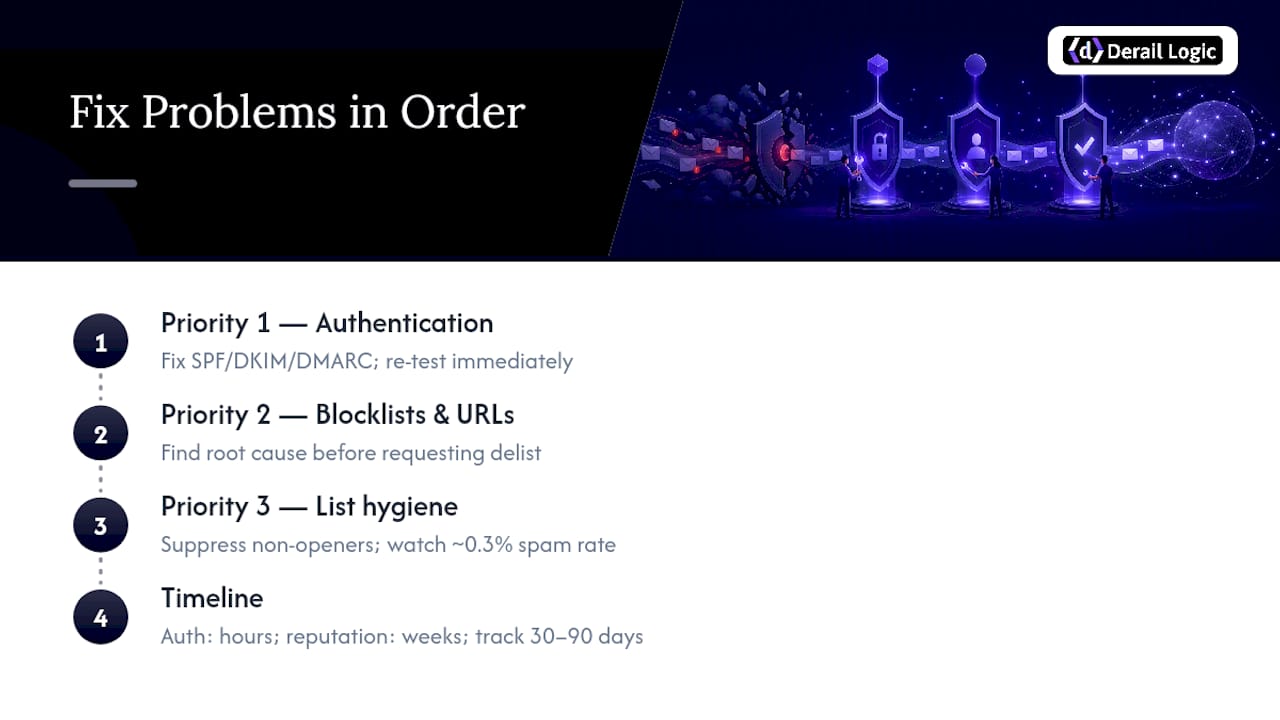
A test report full of red flags is only useful if you know which flag to chase first. Fix in this order, and you’ll waste less time.
Priority 1: Authentication. If SPF, DKIM, or DMARC is failing or misaligned, nothing else matters until it’s fixed. This is a DNS-level configuration issue, and it’s usually resolved within hours. Re-test immediately after making the change.
Priority 2: Blocklists and URL reputation. Getting flagged on a major blocklist usually points to a spike in complaints, a compromised sending IP, or a link in your content pointing to a flagged domain. Find the root cause before requesting delisting, or you’ll be back on the list within days.
Priority 3: List hygiene and complaints. Verify your list, suppress chronic non-openers, and check your feedback loop data from providers that offer it. Gmail treats sustained spam-complaint rates above roughly 0.3% as a serious reputation risk, and that threshold is a useful benchmark to watch on your own sending dashboard.
Use provider-specific tools to focus your effort. Google Postmaster Tools breaks down reputation, spam rate, and authentication success by domain, while Microsoft SNDS gives you the equivalent view for Outlook and Hotmail traffic.
Timeline matters here. Authentication fixes show up in your next test within hours. Reputation, on the other hand, rebuilds gradually. Expect a few weeks of clean sending before a damaged domain reputation fully recovers, and track your placement trend over a 30 to 90 day window rather than judging results from a single test.
Where MartechAI Fits in the Testing Workflow
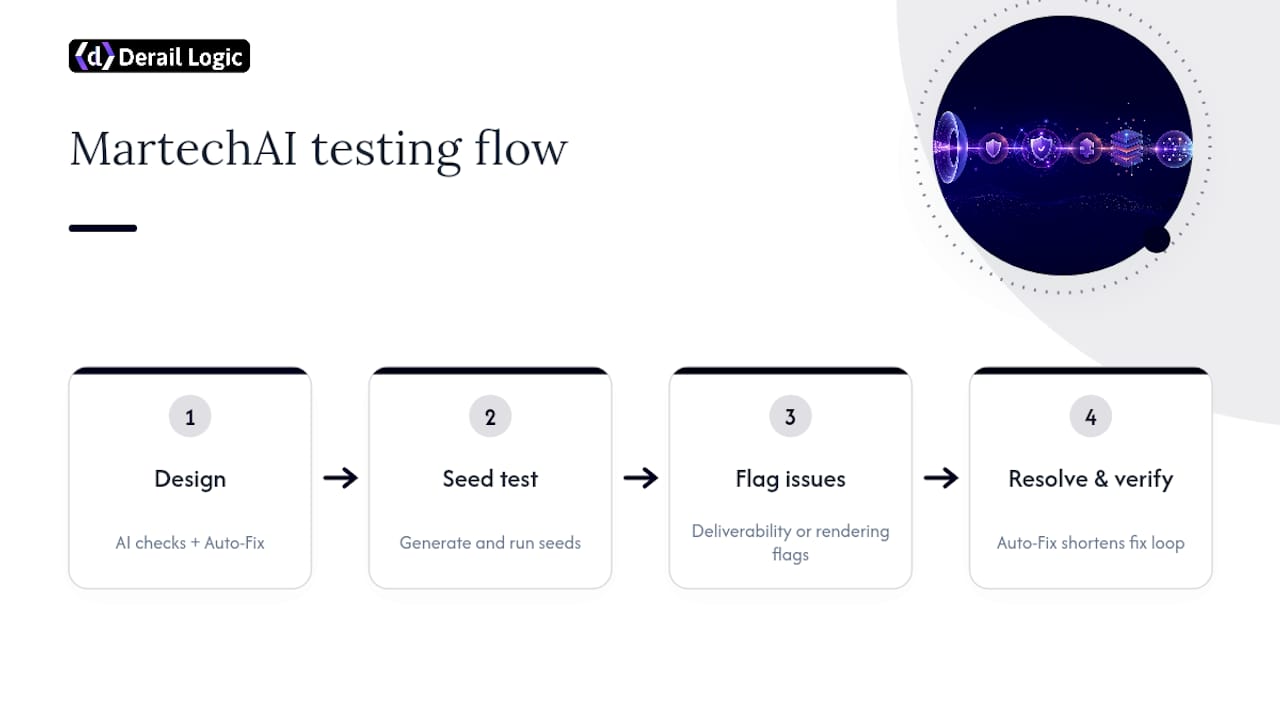
A lot of what deliverability tests flag traces back to content and rendering, broken HTML, missing alt text, layout that collapses in Outlook. MartechAI’s Email Builder runs AI-driven compatibility checks as you build, catching those rendering issues before you ever generate a seed test. Its Auto-Fix feature resolves common formatting problems automatically, which shortens the loop between “test flagged an issue” and “issue is resolved and verified.”
Campaign analytics inside the platform also help you connect a deliverability dip to whatever changed in your last send, whether that’s a new template, a shifted send time, or a list segment that behaved differently than expected.
What Experienced Senders Get Wrong About Testing
The biggest mistake is testing a sanitized version of your email instead of the real campaign, headers and all. A close second is ignoring Google Postmaster Tools and SNDS until reputation has already collapsed. For high-volume senders, run alerts weekly. Smaller programs can get by on monthly audits, but always judge trends over 30 to 90 days, never a single snapshot.
— Zachary
Try MartechAI Before Your Next Big Send
If your current process means exporting HTML, running it through a separate spam checker, then manually patching rendering bugs, MartechAI collapses that into one workflow. The Email Builder flags compatibility issues and applies Auto-Fix as you design, so the version you send to your seed test is already clean instead of full of guesses you’ll catch later.

That matters most for teams juggling deliverability testing alongside everything else on a campaign calendar, where backlink diversity in SaaS SEO informs broader marketing operations strategy. Instead of bouncing between a rendering tool, a spam checker, and your analytics dashboard, campaign performance and email QA sit in the same platform, so a placement drop is easier to trace back to whatever changed in your last send. The Core plan runs $69 per month and includes the Email Builder along with campaign analytics; there’s also a Free plan if you want to test the workflow before committing. Check the pricing page for the full breakdown across Free, Core, Growth, and Agency tiers, and start your next campaign build there.
Tools Worth Bookmarking for Deliverability Checks
- Google Postmaster Tools and Microsoft SNDS for provider-side reputation signals.
- Seed-network testers and blocklist lookup tools for placement and delisting diagnostics.
- SPF/DKIM/DMARC setup guides and DMARC aggregate report parsers for authentication troubleshooting.
Sources
- Why do my emails go to spam? Causes & fixes (2026)
- Why Emails Go to Spam: The Full Deliverability Checklist
- Email Deliverability & Inbox Placement Testing Tool | GlockApps
- AI-Powered Email Deliverability & Inbox Placement | Validity Engage
FAQ
Is There a Free Tool for Email Deliverability Testing?
Yes. Single-address spam checkers like Mail-tester give you a free, fast read on content, formatting, and authentication issues. They don’t show real placement across multiple providers the way a seed-network tester does, so treat them as a pre-send sanity check rather than a full deliverability audit.
What Is the 30/30/50 Rule for Cold Emails?
The 30/30/50 rule is a marketing shortcut some senders use to divide attention between subject line, opening line, and body copy. It’s not a deliverability standard, and providers don’t score messages against it. Focus on measurable signals instead, like authentication status, complaint rate, and engagement, which actually determine placement.
What Is the 12 Second Rule for Emails?
The “12 second rule” is an informal claim that recipients decide whether to keep reading within about 12 seconds of opening a message. It’s a copywriting heuristic, not a deliverability metric, and no mailbox provider factors reading time into spam filtering decisions.
Is a 35% Open Rate Good for Email?
A 35% open rate is generally strong for most industries, though what counts as “good” varies by list size, sending frequency, and niche. Open rate alone doesn’t tell you about inbox placement. A high open rate paired with a rising spam-complaint rate can still signal a deliverability problem worth investigating with a placement test.


