


A welcome email series is a short automated sequence that fires the moment someone joins your list, and it should do more than say thanks for signing up. Start with a five-email, job-per-email flow if you have the resources, or trim to three if you don’t. Send email one within five minutes, build in suppression rules so subscribers don’t get crossed wires from other campaigns, and track conversion or incentive redemption as your headline number.
TL;DR:
- Sending the first welcome email within five minutes maximizes engagement, which influences future inbox placement and sender reputation.
- Typical sequences range from three to seven emails, with five being the default, each focusing on a single objective to avoid message overlap.
- Personalization should focus on signup source and behavior, like clicks or purchases, to maintain manageability and relevance over complex micro-segmentation.
- Implementing proper deliverability protocols, including SPF, DKIM, and DMARC, ensures the welcome emails land in inboxes rather than spam.
- Running holdout tests on 10% of new subscribers provides a clear measure of the sequence’s true impact on conversions and revenue.
Table of Contents
- What Is a Welcome Email Series and Why Does the Framework Matter?
- How Many Emails Should a Welcome Series Have?
- What Should Each Welcome Email Say?
- When Should You Send Each Welcome Email?
- How Do You Personalize a Welcome Series Without Overcomplicating It?
- What Deliverability Settings Does a Welcome Flow Need?
- What Are Good Welcome Email Benchmarks?
- How Do You Test a Welcome Email Series Properly?
- What Are Some Ready-to-Use Welcome Email Templates?
- How Does MartechAI Support a Welcome Email Series in Practice?
- What’s the One Rule Beginners Break First?
- Ready to Build Your Welcome Series Without the Spreadsheet Chaos?
- Where Does This Guide’s Data Come From?
- Sources
- FAQ
What Is a Welcome Email Series and Why Does the Framework Matter?
A welcome email series is the automated onboarding flow triggered the moment someone subscribes, buys, or creates an account. It’s distinct from a single “thanks for signing up” autoresponder because it stretches the introduction across multiple messages, each with its own job. Marketers sometimes call this an onboarding email sequence or an email drip campaign, but the mechanics are the same: a trigger, a series of timed sends, and an exit condition.
The performance gap between a welcome series and your regular broadcast list is not subtle. Automated welcome flows consistently beat single welcome emails on orders and revenue, and industry benchmarking on multi-email sequences shows the uplift holds across different list sizes and industries. Subscribers are paying attention in the first hours after signup in a way they never will again once your brand becomes background noise in their inbox.
That early attention does double duty. It converts, and it teaches inbox providers how to treat your domain going forward.
Welcome flows shape your sender reputation before your first real campaign ever ships. A 5-email onboarding arc mapped across 14 days with per-message benchmarks isn’t just a conversion tactic. Gmail, Outlook, and Yahoo watch how recipients treat your earliest sends, and high engagement in that window improves inbox placement for every campaign that follows.
Why does cadence differ by business model? Because the job differs.
- Ecommerce brands often compress the series to capture purchase intent while it’s hot, sometimes in three emails over five days.
- SaaS companies stretch it longer, since the goal is activation, not a single transaction, and that can take a week or two of nudges.
- Newsletters and content brands use the series to set reading habits, so cadence tends to match publishing frequency rather than urgency.
None of these are wrong. They’re solving different problems with the same mechanism.
How Many Emails Should a Welcome Series Have?
Length should follow the value you have to deliver, not a round number you saw in a blog post. A welcome sequence is typically 3 to 7 automated emails sent over the first one to two weeks, and picking a number inside that range comes down to your offer and your audience’s decision speed.
A rough rule that works across most accounts:
- 3 emails for low-average-order-value ecommerce, where the goal is a fast first purchase and you don’t want to overstay your welcome.
- 5 emails for most businesses, including SaaS trials, mid-ticket ecommerce, and service businesses. This is the default worth starting with.
- 7 emails for high-ticket or considered purchases, where trust has to be built before anyone hands over real money.
Once you’ve picked a length, assign each email a single job instead of letting messages blur together. This is the job-per-email framework, and it’s the difference between a sequence that feels like five separate sales pitches and one that feels like a conversation.
| Job | What it does | Typical email |
|---|---|---|
| Deliver | Fulfills the signup promise, sets expectations | Email 1 |
| Teach | Gives one specific, useful piece of value | Email 2 |
| Prove | Shows social proof or a quick win | Email 3 |
| Handle objections | Answers the hesitation stopping conversion | Email 4 |
| Offer | Makes an honest, time-bound ask | Email 5 |
If you’re compressing to three emails, merge deliver and teach into one message, then jump to a combined proof-and-offer close. If you’re expanding to seven, split “teach” into two separate lessons, or add a second objection-handling email that targets a different hesitation than the first. The framework flexes. The discipline of one job per message doesn’t.
What Should Each Welcome Email Say?
Here’s where the framework becomes copy. Each email below includes what it needs to accomplish, a few opener options, and a sample CTA you can adapt.
1. The Deliver Email (Send Immediately)
This message does the thing you promised. If someone signed up for a discount code, the code needs to be visible without scrolling. If they downloaded a guide, the link goes at the top, not buried under three paragraphs of brand story.
Include one low-friction ask alongside the delivery, something that trains engagement without asking for much. A reply prompt works well here because replying to an email signals to inbox providers that a sender is wanted, which helps future deliverability.
Opener options:
- “Here’s your [discount code/guide/access link], no strings attached.”
- “Welcome aboard. Before anything else, here’s what you came for.”
- “You’re in. Here’s your first step.”
Sample CTA: “Reply and tell us what you’re hoping to get out of [product/newsletter].” Or, for ecommerce: “Shop now with code WELCOME10.”
2. The Teach Email (One Specific Lesson)
Resist the urge to cram everything you know into this message. Pick one tip, one workflow, or one use case, and go deep enough that it’s genuinely useful on its own.
Content block ideas:
- A three-step “how to get your first win” walkthrough
- A single case-style example of how another customer uses the product
- One myth you’re correcting about your category
CTA examples: “See the full guide,” “Watch the two-minute walkthrough,” or simply “Try this today.”
3. The Proof Email (Quick Win)
This is where you borrow credibility instead of asserting it. Keep the structure tight: one proof point, one line of context, one CTA.
Sample structure:
If you don’t have a customer story yet, a usage statistic or a before/after example works as a substitute. The goal is showing, not telling.
CTA examples: “See how it works,” “Start your own version,” “Get the same result.”
4. The Objection-Handling Email
Every product has one hesitation that kills more conversions than any other. Maybe it’s price, maybe it’s “will this actually work for my situation,” maybe it’s a setup fear. This email addresses it directly, in FAQ format if that fits your brand voice.
Sample objection scripts:
- “Worried it’s too technical? Here’s what setup actually looks like.”
- “Not sure it’s worth the price? Here’s what customers save in the first month.”
- “Thinking you don’t have time? Most people are set up in under ten minutes.”
CTA examples: “See pricing,” “Book a 15-minute walkthrough,” “Compare plans.”
5. The Offer Email (Honest Urgency)
Close the sequence with a clear, time-bound offer. The word “honest” matters here. Practitioners consistently find that genuine urgency, meaning a discount that actually expires, outperforms fake countdown timers, because subscribers have gotten good at spotting manufactured pressure.
Structure it plainly: state the offer, state the real deadline, state what happens after the deadline passes (the code stops working, the price returns to normal). No dramatic countdown graphics needed if the copy itself is clear.
Sample line: “This offer closes Friday at midnight. After that, it’s gone, no extensions.”
Pro Tip: Weight your drafting time toward Email 1. It typically carries the majority of total sequence engagement, so a weak opener drags down everything that follows, no matter how strong emails 2 through 5 are.
When Should You Send Each Welcome Email?
Timing is not a minor detail here. It’s the difference between a sequence that feels responsive and one that feels like an afterthought.
Send email one within five minutes of signup. That immediacy matters because intent is at its peak the moment someone hands over their email address, and every minute of delay is a minute where that intent cools. A five-minute welcome email reads as attentive. A three-hour one reads as automated in the worst sense.
From there, space the rest of the sequence to match your model:
- Ecommerce (3 emails): Day 0, Day 2, Day 5
- Standard 5-email flow: Day 0, Day 2, Day 5, Day 8, Day 12
- High-ticket (7 emails): Day 0, Day 1, Day 3, Day 6, Day 9, Day 12, Day 14
Time-zone-aware sending matters more than most senders assume. A B2B send that lands at 6 a.m. local time gets buried by the time the recipient opens their inbox at 9. Ecommerce brands often do better sending in the early evening, when people are scrolling on their phones outside of work.
Two rules protect the sequence’s integrity:
- Suppress other campaign sends while a subscriber is inside the welcome window. Crossing a promotional blast with your welcome flow confuses the message and can trigger a spam complaint at the worst possible moment.
- Set exit conditions so subscribers drop out of the sequence the moment they take the action you wanted, whether that’s a purchase, a demo booking, or account activation.
Suppressing other sends during the welcome flow preserves engagement and lowers unsubscribe rates, largely because it keeps the new subscriber’s inbox experience focused instead of scattered.
How Do You Personalize a Welcome Series Without Overcomplicating It?
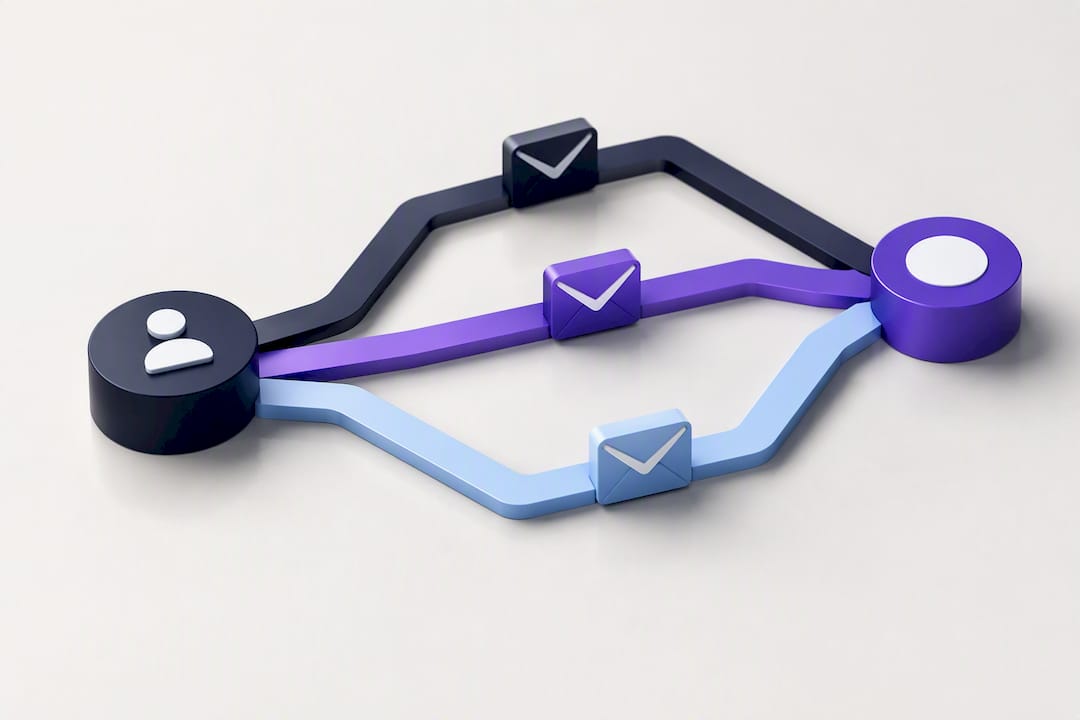
Personalization doesn’t require a dozen branches. It requires the right two or three.
The first fork worth building is by signup source. Someone who joined through a lead magnet has a different starting context than someone who signed up after browsing your pricing page. Keep the variants manageable: two or three versions of Email 1 that acknowledge where the subscriber came from is usually enough. Building ten micro-segments for a welcome flow is a common overreach that turns a maintainable system into a maintenance burden.
Behavioral branches matter more once the sequence is running:
- If they clicked the main CTA in an earlier email, skip the message that would have repeated the same pitch.
- If they purchased, exit the welcome flow immediately and route them into a post-purchase sequence instead. Ecommerce brands running structured post-purchase flows in the first 30 days see meaningfully higher revenue per recipient than brands that leave new customers in a generic welcome track.
- If they’ve gone inactive by email three or four, insert an education-focused message before pushing another offer.
The welcome window is also your best opportunity to collect first-party data, since engagement runs highest in the first 48 hours after signup. A simple reply prompt (“What are you hoping to get out of this?”) or a one-question preference center captures signals you can use for segmentation months down the line.
Pro Tip: Don’t build a branch you can’t maintain. If you can’t remember which version a subscriber received without checking a dashboard, the segmentation is already too complex.
What Deliverability Settings Does a Welcome Flow Need?
None of the copywriting above matters if your emails land in spam. The welcome window is unusually sensitive to deliverability problems because it’s often the first real signal inbox providers get about a new sending domain.
Start with the authentication basics:
- SPF confirms your sending server is authorized to send on behalf of your domain.
- DKIM signs your emails cryptographically so receiving servers can verify they weren’t altered in transit.
- DMARC tells inbox providers what to do when a message fails SPF or DKIM checks, and gives you visibility into spoofing attempts.
These three protocols, plus one-click unsubscribe and disciplined complaint-rate targets, form the baseline deliverability checklist for any bulk sender, and they matter even more in a welcome flow than in a regular newsletter.
A few additional judgment calls shape long-term deliverability:
- Confirmed opt-in versus single opt-in. Confirmed opt-in (a click to verify the email address) produces a cleaner list and fewer spam complaints, at the cost of losing some subscribers who never confirm. Single opt-in grows your list faster but risks more bounces and complaints down the line.
- Domain warm-up. A new sending domain benefits from the welcome flow itself, since it’s naturally high-engagement traffic that signals legitimacy to inbox providers early.
- Rendering checks. Test every email across major clients before launch. A broken image or a missing unsubscribe link in the welcome sequence sets a bad first impression and can trigger compliance issues.
- List-Unsubscribe headers. Include them. They make it easy for recipients to leave cleanly instead of hitting the spam button out of frustration.
What Are Good Welcome Email Benchmarks?
Every email in the sequence should have a job, and every job should have a number attached to it. That’s how you know when something’s broken.
| Typical open rate | Typical click rate | What a drop signals | |
|---|---|---|---|
| Email 1 (Deliver) | Highest of the sequence | Highest of the sequence | Weak subject line or delayed send |
| Email 2 (Teach) | Slightly lower than Email 1 | Moderate | Content mismatch with signup intent |
| Email 3 (Proof) | Continued natural decay | Moderate | Proof point not credible or relevant |
| Email 4 (Objections) | Lower, expected decay | Lower | Objection doesn’t match real hesitation |
| Email 5 (Offer) | Lowest open, but often highest conversion per open | Conversion-focused | Offer isn’t compelling or urgency isn’t clear |
Natural decay across the sequence is expected. What you’re watching for is decay that’s sharper than normal at one specific point, because that’s where the message is broken, not the format.
If Email 1 is weak, the problem is almost never the content. It’s the subject line, the send delay, or a mismatch between what was promised at signup and what the email actually delivers. Fix the trigger and the copy before touching anything downstream.
If Email 4 is weak specifically, and the others look healthy, the objection you picked probably isn’t the real one. Pull a handful of support tickets or sales call notes and rewrite the email around the actual hesitation, not the one you assumed.
The metric that matters most across the whole sequence is sequence completion rate paired with conversion or incentive redemption, since a five-email arc with a per-email KPI grid is specifically designed to let you isolate which link in the chain is failing.
How Do You Test a Welcome Email Series Properly?
Before you optimize anything, you need to know the sequence is actually working, not just assumed to be working because it’s live.
- Run a 10% holdout. Route roughly one in ten new subscribers away from the automated sequence entirely, then compare revenue per recipient between the holdout group and the group that received the flow. This is the only reliable way to measure true incremental lift rather than mistaking normal signup-to-purchase behavior for the sequence’s effect.
- Prioritize the tests that move the needle. Subject lines on Email 1, send-timing on Email 1, the CTA on the offer email, and the exact hour the offer email fires are the four variables with the most leverage. Everything else is secondary.
- Give tests enough runway. A welcome series test needs enough new signups flowing through both variants to reach a meaningful sample, which usually means running it for at least two to four weeks rather than judging results after a few days of traffic.
Skip the holdout and you’re flying blind. Skip the sample-size discipline and you’ll chase noise instead of real signal.
What Are Some Ready-to-Use Welcome Email Templates?
Templates only work as a starting point, but a starting point beats a blank page. Here are openers, closers, and subject-line patterns organized by the job each email does.
Email 1 (Deliver) openers:
- “You’re in. Here’s exactly what happens next.”
- “Welcome. Your [code/guide/access] is below.”
Email 1 closers:
- “Hit reply and tell us what brought you here. We read every response.”
Email 2 (Teach) openers:
- “One thing worth knowing before you dive in.”
- “Here’s how [customer type] gets the most out of this.”
Email 4 (Objections) closers:
- “Still not sure? Reply with your question and we’ll answer it directly.”
Subject-line starters grouped by job:
- Deliver: “Here’s your [code/access],” “Welcome, your first step is inside”
- Teach: “The one thing most people miss,” “A five-minute tip worth knowing”
- Social proof: “How [type of customer] got [result],” “What’s actually working right now”
- Offer: “This closes Friday,” “Last call: [offer] ends soon”
On format: plain-text-style emails tend to outperform heavily designed templates for the deliver and teach messages, since they read as personal rather than promotional. Save your designed welcome email template, with branded imagery and structured layout, for the proof and offer emails, where visual polish supports the pitch instead of getting in its way.
How Does MartechAI Support a Welcome Email Series in Practice?
Building the framework above by hand across spreadsheets and a bare-bones email tool is possible, but it’s also where most of the maintenance headaches start. A few specific tasks from this guide map directly onto features inside MartechAI.
- The visual campaign studio lets you lay out the full five-email sequence, delays included, as a single flow you can see end to end rather than five disconnected automations.
- Autopilot insights flag which email in the chain is underperforming against the benchmarks in the KPI grid above, using your account’s own send data instead of generic industry averages.
- CRM handoffs move a subscriber out of the welcome flow the moment they convert, so sales or a post-purchase sequence picks them up without a manual export. The same CRM-driven handoff logic that powers B2B lead nurture sequences applies here.
- Exit conditions and behavior-based forks, the “if clicked, skip” and “if purchased, exit” logic covered earlier, run natively inside the same builder that plans the sequence, so branching doesn’t require a separate tool.
For a step-by-step operational companion to setting this up, the marketing automation checklist for SMBs is a useful reference alongside the framework here.
What’s the One Rule Beginners Break First?
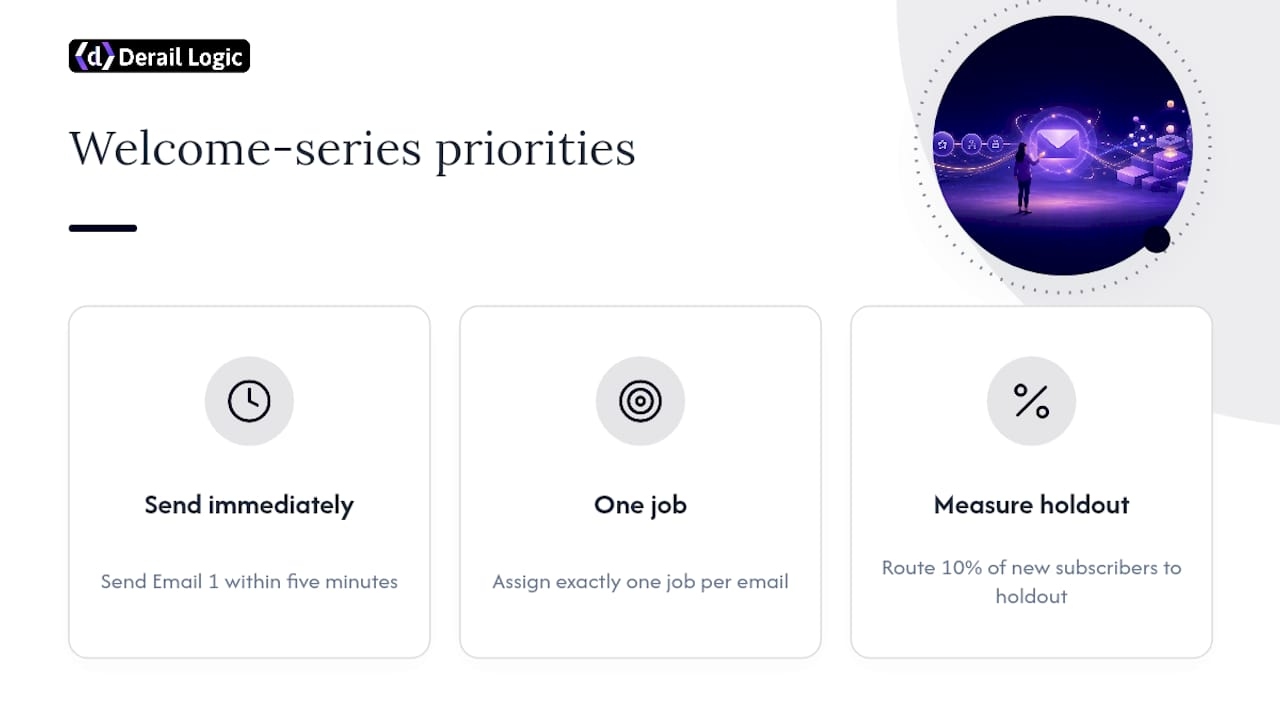
Three things matter more than anything else in a welcome series: sending email one immediately, giving each message exactly one job, and measuring with a real holdout instead of gut feel. Every other tactic is secondary to those three.
The most common beginner mistake is cramming three jobs into one email, usually the first one. A signup confirmation that also tries to teach a feature and pitch a discount ends up doing none of the three well. The fix is almost embarrassingly simple: split it into two emails. Deliver in the first, teach in the second. Conversion usually goes up, not down, because each message finally has room to make its point.
A compact launch checklist: pick your sequence length (start with five), assign one job per email, write email one first and send it within five minutes, set your suppression and exit rules, and route 10% of new subscribers into a holdout before you call the flow finished.
— Zachary
Ready to Build Your Welcome Series Without the Spreadsheet Chaos?
Most teams try to run their welcome flow across a patchwork of email tool automations, a separate CRM, and a spreadsheet tracking which subscriber got which variant. Derail Logic replaces that patchwork with one connected workflow: the visual campaign studio maps the whole five-email sequence in one view, the intelligent CRM handles exit conditions automatically when someone converts, and Autopilot insights flag the exact email that’s dragging down your numbers using your own account data instead of generic industry averages.

Some teams running welcome flows inside marketing platforms use them specifically to catch the Email 1 drop-off problem described above before it costs a full sequence’s worth of conversions. If you’re building your first flow or fixing one that’s underperforming, start with a free trial to map your own sequence in the campaign studio, or check the plans and pricing to see which tier fits your list size, starting with the Free plan and scaling up to Core at $69 per month as your sequence grows more complex.
Where Does This Guide’s Data Come From?
The benchmarks and framework recommendations throughout this guide draw from a handful of sources worth reading directly if you want to dig into the underlying methodology.
Mailneo’s welcome sequence guide lays out the 3 to 7 email range and the reasoning behind sending email one within five minutes, plus the holdout-testing method referenced in the optimization section.
DigitalApplied’s 2026 onboarding framework provided the five-email, 14-day arc and the per-email KPI grid used to build the benchmark table above, along with the deliverability checklist covering SPF, DKIM, and DMARC minimums.
Sk Hasan’s complete guide to welcome sequences supplied the comparative data on multi-email sequences outperforming single welcome emails, along with the insight on first-party data collection during the high-engagement welcome window.
The Gartner practitioner note on sales cycles and measurement informed the guidance on honest urgency versus artificial countdown timers, and the broader case for holdout-based measurement over uncontrolled before/after comparisons.
Sources
- How to Set Up an Email Welcome Sequence (With Examples) — Mailneo
- The Welcome Email Sequence: A 2026 Onboarding Framework — DigitalApplied
- Welcome Email Sequence: The Complete Guide to Converting New Subscribers in 2026 — Sk Hasan
- Gartner blog (practitioner note) — Michele Buckley
FAQ
What Is an Email Welcome Series?
An email welcome series is an automated sequence of messages sent to someone right after they subscribe, sign up, or make a first purchase. Each message in the sequence typically has one specific job, from delivering what was promised to making a final offer, and the sequence usually runs 3 to 7 emails over one to two weeks.
How Many Emails Are in a Welcome Series?
Most welcome series run between three and seven emails, with five being the most common starting point for businesses without a highly specialized sales cycle. Low-ticket ecommerce brands often use three, while high-ticket or considered-purchase businesses stretch to seven to build enough trust before asking for the sale.
What Is a Series of Emails Called?
A series of automated emails triggered by a specific action, like signing up or making a purchase, is generally called an email drip campaign, an automated email flow, or a welcome email series when it’s specifically tied to onboarding a new subscriber or customer. The terms overlap, but “welcome series” refers specifically to the onboarding use case.
What Is the Best Welcome Email?
The strongest welcome email is the first one in the sequence, sent immediately after signup, since it typically captures the highest share of engagement across the entire flow. It should deliver on the signup promise right away and include one low-friction action, like a reply prompt, to start building engagement signals with the recipient’s inbox provider.
How Do I Know if My Welcome Sequence Is Actually Working?
Route roughly 10% of new subscribers into a holdout group that skips the automated sequence, then compare revenue per recipient between that group and the group that received the flow. This holdout method is the most reliable way to measure real incremental lift, since simple before-and-after comparisons can be misleading.


