



Follow these seven prioritized steps to start increasing organic traffic to your online store today. Each one maps to a distinct phase of search engine optimization (SEO), the industry term for the practice of earning unpaid search visibility. Organic search drives an estimated 35–55% of e-commerce traffic and roughly 23.6% of orders, which makes it the single highest-leverage channel most stores underinvest in.
Here is the prioritized checklist to drive organic traffic to your online store, step by step:
- Fix technical health — Confirm Google can crawl and index your priority pages. This week: submit your XML sitemap in Google Search Console and fix any crawl errors.
- Optimize commercial pages — Rewrite meta titles, add schema markup, and create unique copy on your top 10 category and product pages. Expect early ranking movement in months 2–3.
- Build a content cluster — Publish one pillar page and two supporting blog posts targeting research-stage queries. Compounding traffic typically appears in months 3–6.
- Wire internal links — Connect cluster posts to your pillar and category pages with descriptive anchor text. This week: audit for orphan pages using Google Search Console.
- Earn backlinks — Launch one data-led piece or gift-outreach campaign to earn three to five editorial links. Results compound over months 6–12.
- Amplify via owned channels — Send a dedicated email and post social snippets linking back to your pillar page. Quick win: a single email to your list can double a new page’s first-week traffic.
- Measure and iterate — Track organic sessions, impressions, click-through rate (CTR), and conversions per landing page weekly. Adjust priorities monthly based on what is moving.
Pro Tip: Shopify’s guide to driving website traffic recommends fixing on-site fundamentals before scaling any channel. Skipping step one and jumping to content or outreach is the most common reason stores stall at month three.
Key Takeaways
| Point | Details |
|---|---|
| Fix technical health first | Resolve crawl errors, submit your sitemap, and pass Core Web Vitals before scaling content or outreach. |
| Optimize commercial pages early | Rewrite meta titles, add Product and AggregateRating schema, and create unique copy on your top 10 pages. |
| Build one content cluster | Publish one pillar page and two cluster posts in month one; internal links connect them to your category pages. |
| Expect results in phases | Early ranking movement appears in months 2–3; noticeable organic session increases arrive in months 3–6. |
| Derail Logic’s MartechAI platform | Maps campaign studio, content studio, SEO audit, and AI engine directly to the 30/90-day plan tasks. |
Table of Contents
- Is your store’s technical foundation blocking organic growth?
- How do you optimize category and product pages for commercial intent?
- How do you build a content strategy that captures research-stage traffic?
- How should you structure your site to build topical authority?
- What backlink tactics actually work for e-commerce stores?
- Which owned channels give you compounding reach without paid media?
- How do you measure SEO progress and set realistic timelines?
- What does your 30- and 90-day action plan look like?
- The part most stores get wrong about organic traffic
- Run this plan faster with MartechAI
- Sources
- FAQ
Is your store’s technical foundation blocking organic growth?
Before any content or outreach effort pays off, Google has to find and render your pages cleanly. Many stores unknowingly block their own growth with misconfigured robots.txt files, missing sitemaps, or slow page loads that trigger high bounce rates.
Crawlability and indexing
Start with Google Search Console. Under the Coverage report, look for “Excluded” and “Error” URLs. A page excluded by a noindex tag or blocked in robots.txt will never rank, no matter how well-optimized it is. Submit your XML sitemap at Search Console > Sitemaps, then use the URL Inspection tool to confirm your top five category pages return a “URL is on Google” status.
For large catalogs, crawl budget matters. Faceted navigation (filter pages like /shoes?color=red&size=10) can generate thousands of near-duplicate URLs. Use canonical tags pointing to the base category URL, and add noindex to filter combinations that produce thin or duplicate content. This keeps Google’s crawl focused on pages that actually deserve to rank.
Core Web Vitals and mobile performance
Mobile-first indexing means Google ranks your mobile experience first. Run PageSpeed Insights on your homepage, your top category page, and your best-selling product page. The three metrics that matter most are Largest Contentful Paint (LCP), Interaction to Next Paint (INP), and Cumulative Layout Shift (CLS). For most stores, the fastest wins are image compression (convert to WebP, add explicit width/height attributes), enabling server-side caching, and deferring non-critical JavaScript.
Stat to know: Many stores lose more than half of mobile visitors when pages take longer than a few seconds to load. Slow mobile pages are not just an SEO problem; they are a revenue problem.
Running a one-hour technical audit
You do not need a full agency engagement to find the biggest blockers. This sequence covers the essentials:
- Google Search Console — Coverage errors, Core Web Vitals report, mobile usability issues
- PageSpeed Insights — LCP, INP, CLS scores for your top three page types
- Screaming Frog (free up to 500 URLs) — Crawl for broken links, missing meta titles, duplicate H1s, and redirect chains
- Search Console > Links — Confirm internal links are reaching your priority pages
Pro Tip: Prioritize fixes on pages that already receive impressions but have low CTR. A page Google is already showing deserves a clean technical foundation before you invest in new content.
OnTap Group recommends fixing your site foundation before scaling any traffic channel — speed, mobile UX, and product pages first. That sequencing is not arbitrary; it prevents wasted effort on content that lands on broken or slow pages.
How do you optimize category and product pages for commercial intent?
Category and product pages are where purchase decisions happen. They need to do two jobs simultaneously: rank for high-intent commercial queries and convert visitors once they arrive.
Category pages vs. product pages
Category pages capture broader commercial queries (“women’s running shoes,” “outdoor furniture sets”). They should include unique buying guidance, not just a grid of products. Product pages capture specific, high-conversion queries (“Nike Air Zoom Pegasus 41 review,” “teak dining table 72 inch”). Each page type needs a distinct optimization strategy.
Guac Digital emphasizes separate optimization strategies for category vs. product pages, and that distinction shows up in keyword targeting, content depth, and schema type.
Meta title and description templates
Use these formulas as a starting point, then adjust for your brand voice:
- Category page title:
[Primary Keyword] — Shop [Product Type] | [Brand Name](55–60 characters) - Product page title:
[Product Name] — [Key Benefit or Spec] | [Brand Name](50–60 characters) - Meta description: Lead with the commercial hook, include a secondary keyword, and end with a soft CTA. Example: “Shop our full range of [category] with free shipping over $50. Find the right [product type] for your needs.”
Schema markup checklist
Structured data helps Google display rich results (star ratings, price, availability) directly in search. For e-commerce, prioritize:
Productschema on every product page (name, image, description, SKU)Offerschema (price, currency, availability, URL)AggregateRatingschema (pulls in review data for star snippets)BreadcrumbListon all pages deeper than the homepageFAQPageschema on category pages where you answer common buyer questions
Optimizing product pages with structured data is one of the most direct paths to higher click-through rates from search.
Unique product copy
Copying manufacturer descriptions is one of the most common duplicate-content traps in e-commerce. Write at least two to three unique sentences per product that address the buyer’s actual question: who is this for, what problem does it solve, and what makes it worth the price.
Pro Tip: When you cannot rewrite every product description immediately, add a unique “Editor’s Pick” or “Why We Carry This” paragraph at the top of each page. It differentiates your copy from the manufacturer’s without requiring a full rewrite.
On the filter and indexing side, use a simple decision rule: if a filter combination produces a page with fewer than five unique products and no unique editorial content, add noindex and a canonical pointing to the parent category. Printify’s Shopify-specific guide covers catalog-facing filter handling in practical detail for platform-constrained stores.
Neil Patel reports an average e-commerce conversion rate near 2.9% across industries, with cart abandonment sitting around 70.19%. Those numbers mean that even a well-ranked page leaves most visitors without converting, so every on-page element — copy, schema, page speed, and trust signals — has to work together.
How do you build a content strategy that captures research-stage traffic?
Most buyers research before they buy. A shopper looking for “best standing desk under $500” is not ready to purchase yet, but they are exactly the audience you want to capture before they reach a competitor’s product page. That is the job of a content cluster.
The pillar and cluster model
A pillar page covers a broad topic comprehensively (“The Complete Guide to Standing Desks”). Cluster pages go deeper on specific subtopics (“standing desk vs. sit-stand converter,” “best standing desks for small spaces,” “how to set up a standing desk ergonomically”). Each cluster page links back to the pillar, and the pillar links out to each cluster. This architecture signals topical authority to Google and positions your store to appear in AI Overviews for research queries.

OrangeMonke recommends mapping keywords to buyer stages — research, consideration, and decision — and matching content formats to each stage. How-to posts and buying guides work for research. Comparison posts (“X vs. Y”) work for consideration. Product and category pages close the decision stage.
Content calendar for months 1–12
Months 1–3 (foundation):
- Publish one pillar page targeting your highest-volume research query
- Publish two cluster posts targeting long-tail variations
- Optimize the internal links between cluster posts, the pillar, and your top category page
Months 4–12 (scale):
- Add two to four cluster posts per month
- Refresh the pillar page quarterly with new data, updated links, and expanded FAQs
- Audit underperforming posts monthly; consolidate thin posts or expand them to 1,000+ words
Pro Tip: AI Overviews favor content with concise direct answers and structured Q&A sections. Add a short FAQ block at the bottom of every pillar page. It costs 15 minutes and can earn featured-snippet placement and AI-overview citations simultaneously.
For the promotion side, repurpose each published post into three assets: a short email to your list, a social snippet (one key stat or quote as an image), and a comment or contribution in a niche community (a subreddit, a Facebook group, or an industry forum). This seeds early traffic and can attract the first backlinks before Google has fully indexed the page. The e-commerce content marketing SEO workflow guide on MartechAI’s blog covers the full production and publishing sequence if you want a repeatable process.
How should you structure your site to build topical authority?
Site architecture is the invisible infrastructure of SEO. A well-structured store lets Google understand which pages are most important and helps users navigate without friction. A poorly structured one buries your best pages under unnecessary depth and dilutes link equity across hundreds of orphan URLs.
Ideal structure for catalog sites
- Keep category depth to three clicks from the homepage: Home → Category → Product
- Use clean, descriptive URLs:
/running-shoes/womens/not/cat?id=42&filter=womens - Implement breadcrumb navigation on every page below the homepage
- Keep your primary navigation to your highest-revenue categories; avoid linking to every filter variant
Internal linking rules
Every cluster post should link to its pillar page once, using anchor text that includes the pillar’s primary keyword. The pillar should link to each cluster post. Category pages should receive links from relevant cluster posts and pillar pages, using anchor text that matches the category’s target keyword.
Avoid over-linking. A page with 80 internal links passes less equity per link than one with 15. Prioritize links that a human reader would actually find useful.
Pro Tip: Run a monthly orphan-page check in Google Search Console. Filter for pages with zero internal links pointing to them. An orphaned page is invisible to Google’s crawl, no matter how good the content is.
For quarterly audits, use Screaming Frog to export your internal link map and sort by “Inlinks” ascending. Pages with fewer than three inbound internal links are candidates for either consolidation or a targeted linking sprint from existing content.
Routing research traffic toward commercial pages
The most effective internal-link pattern for e-commerce is: cluster post → pillar page → category page → product page. Each step moves the reader closer to a purchase decision. A post about “how to choose a standing desk” should link to your “standing desks” category page, not just back to the pillar. That single link can meaningfully improve the category page’s authority over time.
What backlink tactics actually work for e-commerce stores?
Backlinks remain one of Google’s strongest ranking signals. For product-led brands, the challenge is that most journalists and bloggers are not naturally inclined to link to a product page. The tactics below work because they give writers a reason to link.
High-probability link acquisition methods
- Data-led content: Publish original survey data or aggregate publicly available data into a unique report. Journalists cite data. A “State of [Your Niche] 2026” report with three to five original statistics is linkable in a way that a product page never will be.
- Gift and sample outreach: Send your product to niche bloggers, YouTubers, and newsletter writers in your category. A genuine review from a trusted voice earns a link and drives referral traffic.
- Guest contributions: Write a practical how-to for an industry publication. The author bio link is a legitimate, editorial backlink.
- Resource link reclamation: Find pages in your niche that link to broken or outdated resources. Offer your content as a replacement. Tools like Ahrefs or Semrush can surface these opportunities.
- Broken-link replacement: Same principle, but you identify broken links on third-party sites and pitch your existing content as the fix.
Outreach email template guidance
Keep outreach emails under 100 words. Lead with the specific page you found, explain why your resource is a better fit, and make the ask in one sentence. Personalization matters more than volume; 20 targeted emails outperform 200 generic ones.
Prioritize outreach to sites with topical relevance to your niche over raw domain authority. A link from a niche gardening blog to your outdoor furniture store is worth more than a link from a general lifestyle site with a higher domain rating.
Pro Tip: Time your outreach to content launches and seasonal product cycles. A journalist writing a “best gifts for hikers” roundup in October is actively looking for products to feature. Reaching out in September, before the piece is written, dramatically improves pickup rates.
Track link-driven referral traffic in Google Analytics under Acquisition → Traffic Acquisition → Referral. A link that sends zero referral traffic is still valuable for authority, but links that send traffic AND authority are the ones worth doubling down on.
Which owned channels give you compounding reach without paid media?
Owned channels — email, social, UGC, and communities — are the amplification layer that turns a published piece of content into a traffic event. They also compound: a strong email list grows over time, and UGC accumulates trust signals that improve both conversion rates and search visibility.
Channel selection by product type and audience
Different product types suit different channels. Email works for almost every store because it reaches people who already bought or expressed interest. Instagram and TikTok work best for visually driven products (apparel, home décor, food). Pinterest drives long-tail discovery for products with strong visual appeal and a planning dimension (weddings, home renovation, recipes). Product communities (Reddit, Facebook Groups, niche forums) work for enthusiast products where buyers research deeply before purchasing.
For stores with limited bandwidth, a low-budget digital marketing strategy that prioritizes email and one social channel will outperform a scattered presence across five platforms.
Content-to-email flow template
When you publish a new pillar page or cluster post:
- Send a dedicated email within 48 hours of publishing. Subject line:
[Specific benefit or question the post answers]. Body: two to three sentences summarizing the key insight, then a clear link to the full post. - Follow up seven days later with a related product recommendation tied to the post’s topic.
- Add the post URL to your welcome sequence for new subscribers.
Activating reviews and UGC
Reviews do double duty: they build conversion trust and add unique, keyword-rich content to product pages. Send a post-purchase email sequence requesting a review at day 7 and day 14 after delivery. For UGC, run a quarterly campaign asking customers to share photos with a branded hashtag. Embed approved UGC directly on product pages using a widget or manual curation.
Pro Tip: UGC photos on product pages reduce return rates and improve time-on-page, both of which are positive engagement signals for search. The SEO benefit is secondary to the conversion benefit, but it is real.
For email tool options beyond your current stack, the Klaviyo alternatives guide on MartechAI’s blog covers platforms that integrate with e-commerce workflows without requiring enterprise-level contracts.
To measure owned-channel impact on organic search, look at assisted conversions in Google Analytics (under Advertising → Attribution) and track page engagement metrics (average engagement time, scroll depth) for pages you actively promote versus those you do not. Pages you amplify via email consistently outperform unamplified pages on engagement metrics, which reinforces their rankings over time.
How do you measure SEO progress and set realistic timelines?
SEO is a compounding investment, not a quick-return channel. Setting the right expectations prevents teams from abandoning the work before it pays off.
KPIs to track by cadence
Weekly: Organic sessions, impressions, average CTR (all from Search Console), pages indexed (Coverage report)
Monthly: Conversions per organic landing page, new referring domains (Ahrefs or Semrush), Core Web Vitals pass/fail rate, keyword ranking movement for your top 20 target terms
Quarterly: Domain authority trend, content audit results (pages to expand, consolidate, or redirect), internal link health
Realistic time-to-results windows
UnoSearch’s execution timeline maps the phases clearly:
| Phase | Timeframe | What to expect |
|---|---|---|
| Technical fixes and indexing | Weeks 1–4 | Crawl errors resolved, priority pages indexed |
| Early ranking movement | Months 2–3 | Top commercial pages begin appearing in positions 15–30 |
| Noticeable organic increases | Months 3–6 | Cluster content starts ranking; sessions climb 20% |
| Compounding growth | Months 6–12 | Pillar pages rank in top 10; backlinks amplify authority |
Stat to know: Organic search accounts for an estimated 35–55% of e-commerce traffic. Stores that invest consistently in SEO for 12 months typically see it become their largest single traffic source.
Sample KPI targets for a mid-size store
| KPI | Month 1 baseline | Month 3 target | Month 6 target |
|---|---|---|---|
| Organic sessions/month | Current baseline | +15% | +35% |
| Pages indexed | Audit and confirm | Fix all errors | over 90% of priority pages |
| Avg. CTR (Search Console) | Measure baseline | +1 percentage point | +3 percentage points |
| New referring domains/month | 1–2 | 3–5 | 8–12 |
| Conversions from organic | Baseline | Match paid CTR | Exceed paid CTR |
For prioritization, use a simple impact-versus-effort matrix. High-impact, low-effort tasks (fixing crawl errors, adding schema to top 10 pages, writing meta descriptions) go first. High-impact, high-effort tasks (building a full content cluster, earning 20 backlinks) go into months 2–3. Low-impact tasks get deprioritized or delegated.
What does your 30- and 90-day action plan look like?
This is the week-by-week execution sequence. Follow it in order, or hand it to a contractor with the task-level detail below.
Days 1–30: fix the foundation
Week 1
- Run a technical audit: Google Search Console (crawl errors, Core Web Vitals), PageSpeed Insights on top three page types, Screaming Frog crawl for broken links and duplicate meta titles.
- Fix the top five crawl errors and submit your XML sitemap.
- Add canonical tags to filter pages generating duplicate content.
Week 2
- Rewrite meta titles and descriptions for your top 10 category and product pages using the templates from the commercial SEO section.
- Add Product, Offer, and AggregateRating schema to your top five product pages.
- Identify your top 20 target keywords and confirm each has a dedicated page.
Week 3
- Publish your first pillar page (1,500–2,500 words, FAQ block included, internal links to top category pages).
- Publish two cluster posts targeting long-tail variations of the pillar topic.
- Wire internal links: each cluster post links to the pillar; the pillar links to the relevant category page.
Week 4
- Send a dedicated email to your list announcing the pillar page.
- Post social snippets on your primary channel linking back to the pillar.
- Identify five to ten outreach targets for your first link-building campaign.
30-day milestone check: All crawl errors resolved, top 10 commercial pages have updated meta and schema, one pillar + two clusters published, first outreach list ready.
Days 31–90: scale content and outreach
Weeks 5–8
- Publish two cluster posts per week on topics mapped to the consideration and research stages.
- Send outreach emails to your first list of five to ten targets; follow up once after seven days.
- Monitor Search Console weekly; flag any pages gaining impressions but not clicks for CTR optimization.
Weeks 9–12
- Refresh the pillar page with new data, updated internal links, and an expanded FAQ.
- Scale outreach to 10–15 new targets per month.
- Run a UGC campaign: email post-purchase customers requesting photos and reviews.
- Review your KPI dashboard: organic sessions, CTR, new referring domains, conversions per landing page.
Task assignment guide
| Task | Best assigned to | Template to hand off |
|---|---|---|
| Technical audit and fixes | In-house developer or contractor | Search Console + Screaming Frog checklist above |
| Meta title and description rewrites | In-house marketer or MartechAI Content Studio | Title/meta template from commercial SEO section |
| Pillar and cluster content | In-house writer or MartechAI Content Studio | Content brief: topic, target keyword, word count, FAQ questions, internal link targets |
| Outreach emails | In-house marketer | 100-word outreach template: page found, why your resource fits, one-sentence ask |
| Schema markup | Developer or SEO contractor | Schema checklist from commercial SEO section |
Pro Tip: Use MartechAI’s Content Studio to generate content briefs and first drafts for cluster posts. The AI engine pulls from your actual product and category data, so the output is relevant to your store rather than generic.
The part most stores get wrong about organic traffic
The conventional wisdom says “publish more content.” Most stores take that literally and produce 20 thin blog posts in month one, see no results by month three, and conclude that content marketing does not work for e-commerce.
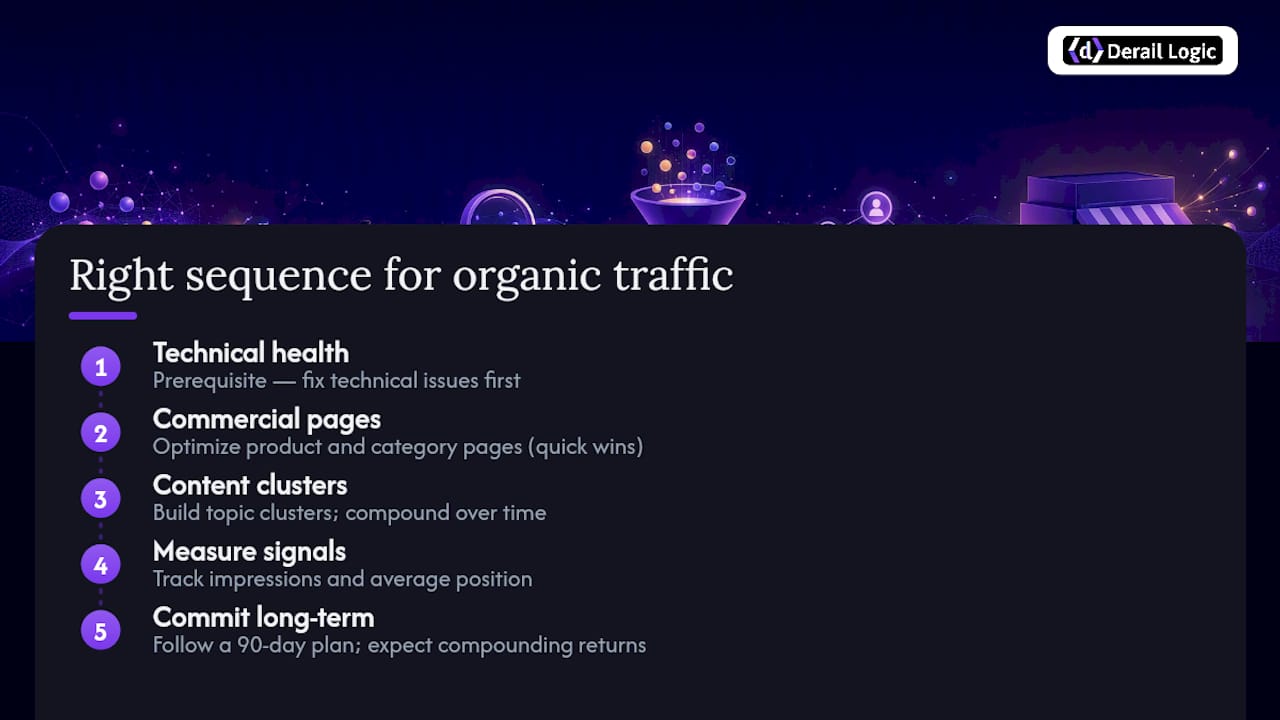
The actual problem is sequencing. Content published on a technically broken site, with no internal links pointing to it, no email list to amplify it, and no schema to help Google understand it, will not rank. The seven-step framework in this article is ordered deliberately. Technical health comes first because it is the prerequisite for everything else. Commercial page optimization comes second because those pages already have authority and can move quickly. Content clusters come third because they compound over time, not immediately.
There is also a subtler issue with how stores measure organic traffic. Many teams track total organic sessions and conclude nothing is working because the number moves slowly. The more useful signal in months 1–3 is impressions and average position in Search Console. Impressions rising means Google is starting to surface your pages. Position improving from 35 to 18 means you are moving toward page one. Neither shows up in sessions yet, but both confirm the investment is working.
One more thing worth saying plainly: organic traffic is not free. It requires time, skilled writing, technical work, and consistent outreach. What it offers in return is compounding returns. A product category page that earns a top-five ranking in month nine keeps generating traffic in month 24 without additional spend. Paid ads stop the moment the budget does. That asymmetry is why stores that commit to the full 90-day plan consistently outperform those that treat SEO as a one-time project.
Run this plan faster with MartechAI
Executing a 30/90-day SEO roadmap across technical fixes, content production, outreach, and measurement is a lot to coordinate, especially for small teams. MartechAI’s platform maps directly to the tasks in this plan.

The Campaign Studio lets you plan and track every task in the roadmap visually, from technical audit tickets to content publishing deadlines. The Content Studio generates SEO-optimized briefs and first drafts for cluster posts using your actual product data, not generic templates. The built-in SEO audit and keyword tracking tools replace the need for multiple standalone subscriptions, surfacing crawl errors, ranking movement, and CTR gaps in one dashboard. The AI engine monitors your KPIs and flags opportunities before you have to go looking for them.
For stores that want to automate outreach follow-up and post-purchase review sequences, MartechAI’s marketing automation handles the scheduling and personalization without requiring a dedicated ops hire. Start a free trial and run your first content cluster workflow inside the platform this week.
Sources
Technical audits and performance:
- Drive Traffic to Your Website: 27 Ways (2026) — Shopify
- Increase E-commerce Traffic — OnTap Group
- SEO Ecommerce: The Complete 2026 Guide — Guac Digital
- 25 Ways To Drive Traffic To Your Online Store Without Ads — Neil Patel
- How to Drive Traffic to Your Shopify Store: 10 Strategies — Printify
Keyword research and content planning:
Benchmarks and ongoing learning:
FAQ
How do I drive traffic to my online store?
Fix technical SEO first (sitemap, crawl errors, Core Web Vitals), then optimize your top category and product pages for commercial keywords, and build a content cluster targeting research-stage queries.
How do you drive organic traffic to a website?
Organic traffic grows through a combination of technical site health, on-page optimization (meta titles, schema, unique copy), content clusters that match buyer intent, internal linking, and backlink acquisition. Results typically begin appearing in months 2–3 and compound through months 6–12.
Is Shopify still worth it in 2026?
Shopify remains one of the most widely used e-commerce platforms and supports the technical SEO fundamentals covered in this guide, including XML sitemaps, canonical tags, and schema apps. The platform’s built-in tools handle most on-page basics; the gaps are in content depth and filter-page management, both of which require deliberate configuration.
How do you drive traffic to a Shopify store for free?
The highest-impact free tactics are: optimizing product and category page meta titles and descriptions, publishing a content cluster targeting research-stage queries, building internal links between blog content and category pages, and earning backlinks through gift outreach and data-led content. Printify’s Shopify-specific guide covers catalog-facing steps in practical detail.


